

Sign In Join Free


1 / 3
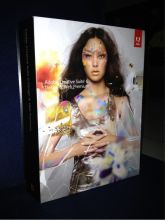
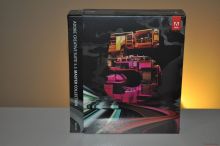
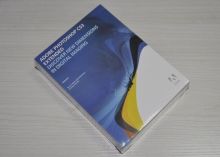
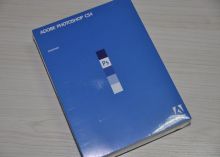
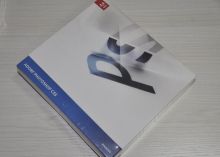
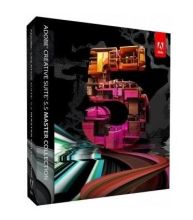
Creative Suite 5.5 Adobe Graphics Software Master Collection




Basic Info
Product description
Quick Detail:
Hot Selling Adobe Creative Suite 5.5 Graphic Software Master Collection (Multi-Language Version)
?
?
Product features:
?
1. Brand new in factory sealed package.
2. With original key can be register, actived and update online, work same with original.
3. DVD full packed, package with English, DVD with English version and Multi-language version.
4. Deliver from stock, and Free Shipping
?
?
Description:
?
Adobe Photoshop CS5 Extended saves you Money on the SAME software! OEM (Original Equipment Manufacturer) versions sell at lower prices because they include online manufacturer technical support, but no phone support. All of the OEM software that we sell to end-users is bundled with the FREE qualifying hardware that ensures your software is legally licensed.
?
?
Features
?
Revolutionary 3D painting and compositing
Now paint directly on 3D models, wrap 2D images around 3D shapes, convert gradient maps to 3D objects, add depth to layers and text, get print-quality output with the new ray-tracing rendering engine, and enjoy exporting to supported common 3D formats.
?
Adjustments panel
Simplify image adjustment by easily accessing every tool you need to nondestructively adjust and enhance the color and tone of your images; on-image controls and a wide variety of presets are also included in the new live and dynamic Adjustments panel.
?
Masks panel
Quickly create and edit masks from the new Masks panel. This panel offers all the tools you need to create editable pixel- and vector-based masks, adjust mask density and feathering, easily select noncontiguous objects, and more.
?
Extended depth of field
Easily create a single image from a series of shots that have different focal points with the enhanced Auto-Blend Layers command, which smoothly blends color and shading and now extends your depth of field, automatically correcting vignettes and lens distortion.
?
Auto-alignment of layers
Create accurate composites with the enhanced Auto-Align Layers command. Move, rotate, or warp layers to align them more accurately than ever before. Or use spherical alignment to create breathtaking panoramas.
?
Auto-blending of images
Combine a range of images, each with a different exposure, color, and focal point — with options to preserve tones and colors — into a single color-corrected image.
?
More powerful printing options
Get outstanding prints with superior color management, tighter integration with leading printer models, and the ability to preview out-of-gamut image areas. Support for 16-bit printing on Mac OS offers increased color depth and clarity.
?
Integration with other Adobe software
Be productive with enhanced integration between Photoshop Extended and other Adobe applications you depend on, including Adobe After Effects?, Adobe Premiere? Pro, and Adobe Flash Professional software.
?
Improved Adobe Photoshop Lightroom workflow
Select multiple photos in Adobe Photoshop Lightroom? (sold separately) and automatically open them in Photoshop CS4 to merge them into a panorama, a high dynamic range (HDR) photo, or a multilayered Photoshop document. And seamlessly roundtrip back to Lightroom.
?
3D object and property editing
Edit, enhance, and manipulate 3D images in a streamlined interface without dialog boxes. Adjust lighting, meshes, and materials. Easily orient objects and position the camera using 3D axes and a ground plane.
?
Fluid canvas rotation
Now just click to smoothly turn your canvas for distortion-free viewing at any desired angle — no more tilting your head in the middle of painting and drawing.
?
Smoother panning and zooming
Gracefully navigate to any area of an image with new, ultra-smooth zooming and panning. Maintain clarity as you zoom to individual pixels and easily edit at the highest magnification with the new Pixel Grid.
?
Content-Aware Scaling
Use the new and revolutionary Content-Aware Scaling feature to automatically recompose an image as you resize it, smartly preserving vital areas as the image adapts to the new dimensions. Get the perfect image in one step without time-intensive cropping and retouching.
?
Enhanced motion graphics editing
Edit motion graphics more efficiently with new single-key shortcuts, sync visual effects with specific points in an audio track using new audio syncing controls, and turn any 3D object into a video display zone.
?
Better raw image processing
Enjoy superior conversion quality as you process raw images with the industry-leading Adobe Photoshop Camera Raw 5 plug-in, which now offers localized corrections, post-crop vignetting, TIFF and JPEG processing, and support for more than 190 camera models.
?
Industry-leading color correction
Enjoy dramatically enhanced color correction with reengineered Dodge, Burn, and Sponge tools that now intelligently preserve color and tone details.
?
File display options
Easily work with multiple open files by using tabbed document display or n-up views.
?
Extensibility
Get and share Adobe Flash? technology-based panels that developers create to accomplish customized tasks. Plus, get tips and tricks from the thriving worldwide community of Photoshop users through the new Adobe Community Help online service.
?
?
System requirements
?
Windows
- Intel? Pentium? 4 or AMD Athlon? 64 processor
- Microsoft? Windows? XP with Service Pack 3; Windows Vista? Home Premium, Business, Ultimate, or Enterprise with Service Pack 1 (Service Pack 2 recommended); or Windows 7
- 1GB of RAM
- 1GB of available hard-disk space for installation; additional free space required during installation (cannot install on removable flash storage devices)
- 1024x768 display (1280x800 recommended) with qualified hardware-accelerated OpenGL graphics card, 16-bit color, and 256MB of VRAM
- Some GPU-accelerated features require graphics support for Shader Model 3.0 and OpenGL 2.0
- DVD-ROM drive
- QuickTime 7.6.2 software required for multimedia features
- Broadband Internet connection required for online services and to validate Subscription Edition (if applicable) on an ongoing basis*
?
?
Mac OS
- Multicore Intel processor
- Mac OS X v10.5.8 or v10.6
- 1GB of RAM
- 2GB of available hard-disk space for installation; additional free space required during installation (cannot install on a volume that uses a case-sensitive file system or on removable flash storage devices)
- 1024x768 display (1280x800 recommended) with qualified hardware-accelerated OpenGL graphics card, 16-bit color, and 256MB of VRAM
- Some GPU-accelerated features require graphics support for Shader Model 3.0 and OpenGL 2.0
- DVD-ROM drive
- QuickTime 7.6.2 software required for multimedia features
- Broadband Internet connection required for online services and to validate Subscription Edition (if applicable) on an ongoing basis*
?
?
Supported Languages
- English
- Danish
- Dutch
- Finnish
- French
- German
- Italian
- Japanese
- Korean
- Norwegian
- Portuguese
- Spanish
- Swedish
- Chinese
?
?
Specifications:
?
|
Name |
Adobe Creative Suite 5.5 |
|
Type |
Multi-Language Version |
|
Package |
Retail box |
?
?
Tag:
adobe software, wholesale adobe software, Adobe Creative Suite 5,cheap adobe software,
?
- 12yrs
- Other
Creative Suite 5.5 Adobe Graphics Software Master Collection
Send your inquiry to this supplier
You may also be interested in
- Adobe Photoshop
- adobe photoshop beta
- adobe photoshop brushes
- adobe photoshop lightroom
- adobe photoshop elements
- wholesale adobe photoshop
- discount adobe photoshop
- adobe license photoshop
- adobe photoshop tutorial
- adobe photoshop crack
- adobe photoshop cs
- cheap adobe photoshop
- software photoshop
- Photoshop Software
- Adobe software
Product Categories




Product Alert
Subscribe to your interested keywords. We will send freely the latest and hottest products to your Inbox. Don't miss any trade information.
Your use of this website constitutes acknowledgement and acceptance of our Terms & Conditions.
Copyright ? 2009-2026 Bossgoo Co., Ltd. All rights reserved.
