

Sign In Join Free


1 / 5
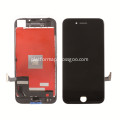
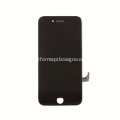
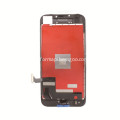
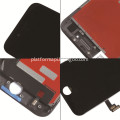
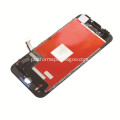
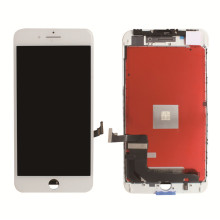
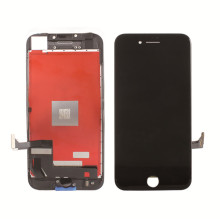
iPhone 8 LCD Touch Screen Display Replacement

Basic Info
| Model No. | iPhone 8 |
|---|---|
| Screen Size | ≤17" |
| Application | Mobile Phone |
| Aspect ratio | 4:3 |
| Feature | Touch Display |
| Type | IPS |
Product description
iPhone 8 4.7inch Screen Replacement LCD Touch Screen Display-Black
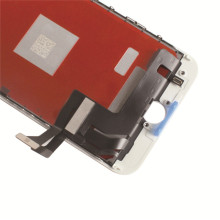
IPhone 8 LCD Display to replace Troubleshoot the damaged, cracked,shattered screens, or screens with display or touch response issues.iPhone 8 LCD Replacement is a 100% inspection for each screen before shipment. This IPhone 8 LCD Replacement is preassembled the components (Facing Proximity Sensor, Ear Piece, Front Camera) WITHOUT home button. This iPhone 8 Screen White is ONLY for iPhone 8,DO NOT try use it on iPhone 8 Plus.We provide 12 month warranty to amend/fix. Replace/Repair your broken, old, cracked, shattered, damaged faulty iPhone 8 LCD Touch. All of the small components are pre-assembled in one piece, very convenient to replace and install. The flex cables are very sensitive and frangible. Handle Carefully! DO NOT over-bend or use excessive force to tear it.
-
Only compatible with iPhone 8 only,can't fit for iPhone 8 Plus or other models.
- Each iPhone 8 LCD Display screen has been double checked and 100% working before send out.
- If screen damaged during shipping or delivery, please contact us freely and we will help to replace a new one for you.
- Used to fix faulty LCD display screen.(display problem, not responding properly, distortion pixels, wrong color issue and old LCD)
Includes:
· iPhone 8 Screen Replacement and touch digitizer
Features:
· 12 Months warranty.
· High brightness, polarizer screen.
· Fully test the appearance, frame, flex cable, touch function and dead pixels/ dust/ lines before Shipment.
· Inner Package: Anti-Static Bags & Transparent Air Bubble Bags ; Outer Package: Carton Box Also In Lined With Foam;
Pre & After-sale service:
· Please feel free to contact us for any questions at any time.
Tips:
· This iPhone 8 LCD Touch Screen Digitizer Replacement includes the components as mentioned above, it does not include the small parts. Please do not confuse it with the iPhone LCD Assembly with Small Parts.
· Please test LCD assembly function one by one 100% before installation.
Problem Solution:
If your phone has some problems after
installed. For example, cannot turn on, no touch, no home button
function, flashing, lines on screen etc., please follow these steps:
1. Reinstall all flex cables from the motherboard and double check all flex cable is in good condition.
2.
Restart your phone: Reset the phone by holding both Power and Home
button together pressed for min 15 sec, after few mins, turn the phone
on. Or reconnect your battery.





iPhone 8 LCD Touch Screen Display Replacement
Send your inquiry to this supplier
You may also be interested in
Product Categories




Product Alert
Subscribe to your interested keywords. We will send freely the latest and hottest products to your Inbox. Don't miss any trade information.
Your use of this website constitutes acknowledgement and acceptance of our Terms & Conditions.
Copyright ? 2009-2026 Bossgoo Co., Ltd. All rights reserved.
