
Search

Sign In Join Free


1 / 1
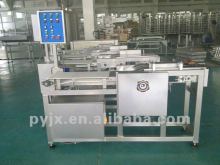
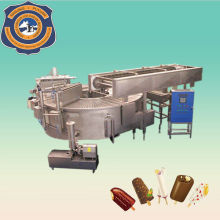
Stacker machine for candy machine
Get Latest Price
You might also like


Basic Info
| Model No. | A |
|---|---|
| Brand Name | Puyuan |
Product description
After ? power-on the machine, please check operator panel whether it shows failure warning. If it has, please check the inverter whether it is faulty alarm. Please put the pusher proximity switch of packaging machines signal access to the signal line "214" in Stacker. For main driving parts track packing machine has reached a product corresponding to a release tray. (Refer to the Stacker machine wiring diagram) 3. When the packaging machine start running, you only need to put the stacker switch on “automatic”, press the “stacker start” button, it will keep in 2-5 products match with packaging machine. If you need stop, just press “stacker stop”. 4. If Switch to "manual", press the “stacker start”, stacker parts will rely on the potentiometer frequency running, will not be synchronized with the packaging machine. If you need stop, just press “stacker stop”. 5. Conveyor belt needs according to the site requirements to set the potentiometers speed, Press the "conveyor starts”, delivery parts running in accordance with the frequency potentiometer. If you need stop, just press “stacker stop”. 6. If you need adjust the products come out from packaging machine ? releasing on the correct position of stacker, just adjust the main motor proximity switch, when stacker tracking running, need this proximity switches and proximity switches of the packaging machine when the line relocation for adjusting track positions. 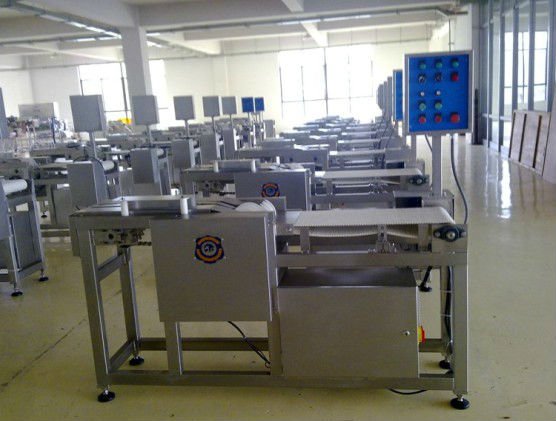 ? ? ? ? ? ?
? ? ? ? ? ? Stacker machine for candy machine
Get Latest Price
Send your inquiry to this supplier
You may also be interested in
- jelly candy line
- candy product line
- candy production line
- candy producing line
- cream candy line
- candy prodution line
- soft candy line
- candy processing line
- hard candy line
- cream candy production line
- hard candy depositing line
- hard candy product line
- Creamy Candy Production Line
- hard candy production line
- JELLY CANDY PRODUCTION LINE
Product Categories
New products


Send Inquiry
Product Alert
Subscribe to your interested keywords. We will send freely the latest and hottest products to your Inbox. Don't miss any trade information.
Subscribe
Your use of this website constitutes acknowledgement and acceptance of our Terms & Conditions.
Copyright ? 2009-2026 Bossgoo Co., Ltd. All rights reserved.
