
Search

Sign In Join Free


1 / 2
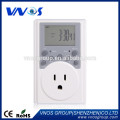
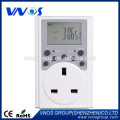
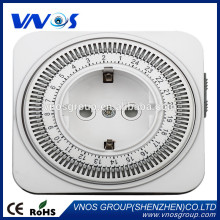
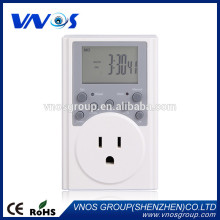
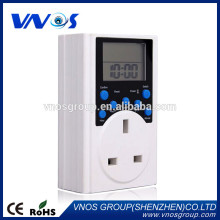
Timer Switch, Programmable timer switch, weekly digital timer with pulse
Get Latest Price
You might also like
Basic Info
| Model No. | VS-TW219 |
|---|---|
| Brand Name | VnoS |
Product description
Product Description 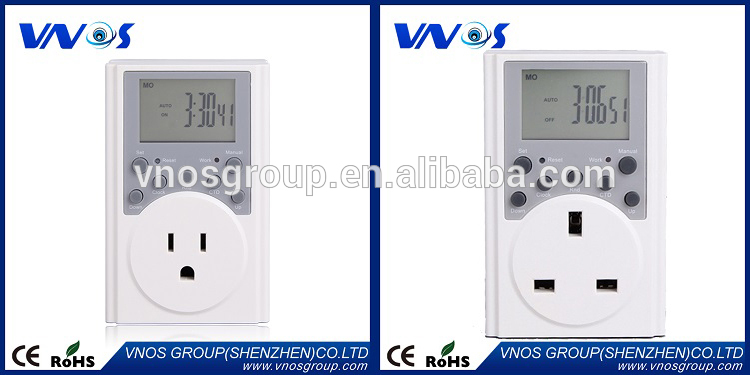 Description
? Our Services  FAQ ?Q:?1.?Can?I?have?a?sample?order? A:?Yes,?we?welcome?sample?order?to?test?and?check?quality.?Mixed?samples?are?acceptable. Q:?2.?What?is?the?lead?time? A: Sample?needs?1-3?days,?mass?production?time?needs?10-15?days?for?order?less?than?5000?pcs. Q:?3.?Do?you?have?any?MOQ?limit? A:?Our?MOQ?EXW?is?100?pcs?under?neutral?gift?box;?MOQ?FOB?is?1000pcs.?MOQ?for?OEM?is 1000PCS. Q:?4.?How?do?you?ship?the?goods?and?how?long?does?it?take?arrive? A:?for?samples,?we?usually?ship?by?DHL,?UPS,?FedEx?or?TNT.?It?usually?takes?3-5?days?to?arrive. for?cargos,?you?can?choose?sea?or?airline?service?by?your?needs. Q:?5.?How?to?precede?the?order?if?I?have?logo?to?print? A:?Firstly,?we?will?prepare?artwork?for?visual?confirmation,?if?the?color?and?position?are?alright,?we?would?make sampling?first?from?silk?print?factory?and?take?picture?for?your?second?confirmation?before?mass?production. Q:?6.?Do?you?offer?guarantee?for?the?products? A:?Yes,?we?offer?one?year?guarantee?for?the?products. Q:?7.?Do?you?accept?drop?shipping? A:?Yes,?it’s?available. Contact info
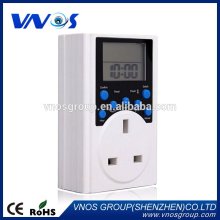
Description | Instructions of VS-TW219 Electronic Timer | ||||
| Function | Step | Specific Instructions | Setting Attention | Additional |
| Current time Setting | 1 | Press“Set”for 3 seconds, “week” flashes, then press"down"or"up"buttons to adjust the week; | Press arrow buttons for 3 seconds to quick adjust | |
| 2 | Then press "Set" to confirm "week", while "hour" flashing, then press "down"or"up" buttons to adjust the hour; | |||
| 3 | Then press "Set" to confirm "hour", while "minute" flashing, then press "down"or"up" buttons to adjust the minute. | |||
| 4 | Then press "Set" to confirm all above settings, the display shows the set time. | |||
| ?? Manual Switch | 1 | Press "Manual" to choose on / off/ auto on and auto off. | ||
| Reset | 1 | "Reset" button to reset all settings and restore factory defaults | ||
| Random Function | 1 | Timer turns into RND ON when press "RND" at color display sataus. | Random valid only in programming period, switching times in random state is 2-30 minutes delayer than the set time, random function is invalid in ON or OFF. | |
| Countdown | 1 | Press "down"or"up" button to enter the CTD function; | Press "Manual" button to swich to "AUTO OFF" mode before CTD setting. | Users can cancel / resume CTD setting by "Manual" button during the setting ; And pause/ resume the operation by "CTD" button. |
| 2 | Press "Set" to enter the hour setting, press "down"or"up"buttons to set the hour duration; | |||
| 3 | Then press "Set" to enter the minute setting, and press "down"or"up" buttons to set the minute duration; | |||
| 4 | Then press "Set" to enter the second setting, and press "down"or"up"buttons to set the second duration; | |||
| 5 | After all settings, press "CTD" to start countdown. | |||
| ?? Summertime / wintertime Transform | 1 | In time display mode, press "down" botton for 3 seconds, LCD displays adding one hour (summertime) | ||
| 2 | Then press "down" button for another 3 seconds, the adding hour will disappear, and showing normal time. | |||
| 24/12 hour-Display Transform | 1 | Press "Clock" button for 3 seconds, time display shows conversion between 12-hour format and 24-hour format, it shows "AM" and "PM" under 12-hour format. | AM12:00 represents 0:00, PM12:00 represents 12:00 at noon. | |
| ? Programming Setting | 1 | Under "Clock" display mode, press "up" button to enter the first group boot time setting. | Press "up"button to enter into next setting only at "1ON" flashing status. Press "Set" button if "1ON" is not flashing. | |
| 2 | Press "Set" to make the first group boot time setting and week setting, ? press"down"or"up" button to adjust according to specific requirements, press for 3 seconds to quick adjust; | There are 15 modes of week's adjustment for choice, ? for example, shows only one, two, three, which means the boot time valid only on Mondays, Tuesdays, Wednesdays. | ||
| 3 | Then press "Set" to flash "1ON", press"up" button to enter the first group OFF setting. | During the setting, users can reset all parameters by pressing "Manual" button, and press it again to resume. | ||
| 4 | Press "Set" to make the first group off time setting and week setting, ? press"down"or"up" to adjust according to specific requirements, press for 3 seconds to quick adjust; | |||
| 5 | Then press "Set" to make "1OFF" flashing, and press"up"button to enter into next group boot setting. Repeat the above steps, users can set the second group boot/off, the third group boot/off setting ..... till the twentieth group boot/off setting if neccessory. | |||
FAQ ?Q:?1.?Can?I?have?a?sample?order? A:?Yes,?we?welcome?sample?order?to?test?and?check?quality.?Mixed?samples?are?acceptable. Q:?2.?What?is?the?lead?time? A: Sample?needs?1-3?days,?mass?production?time?needs?10-15?days?for?order?less?than?5000?pcs. Q:?3.?Do?you?have?any?MOQ?limit? A:?Our?MOQ?EXW?is?100?pcs?under?neutral?gift?box;?MOQ?FOB?is?1000pcs.?MOQ?for?OEM?is 1000PCS. Q:?4.?How?do?you?ship?the?goods?and?how?long?does?it?take?arrive? A:?for?samples,?we?usually?ship?by?DHL,?UPS,?FedEx?or?TNT.?It?usually?takes?3-5?days?to?arrive. for?cargos,?you?can?choose?sea?or?airline?service?by?your?needs. Q:?5.?How?to?precede?the?order?if?I?have?logo?to?print? A:?Firstly,?we?will?prepare?artwork?for?visual?confirmation,?if?the?color?and?position?are?alright,?we?would?make sampling?first?from?silk?print?factory?and?take?picture?for?your?second?confirmation?before?mass?production. Q:?6.?Do?you?offer?guarantee?for?the?products? A:?Yes,?we?offer?one?year?guarantee?for?the?products. Q:?7.?Do?you?accept?drop?shipping? A:?Yes,?it’s?available. Contact info Timer Switch, Programmable timer switch, weekly digital timer with pulse
Get Latest Price
Send your inquiry to this supplier
You may also be interested in
Product Categories
New products
Send Inquiry
Product Alert
Subscribe to your interested keywords. We will send freely the latest and hottest products to your Inbox. Don't miss any trade information.
Subscribe
Your use of this website constitutes acknowledgement and acceptance of our Terms & Conditions.
Copyright ? 2009-2026 Bossgoo Co., Ltd. All rights reserved.
版權(quán)所有 ? 寧波全貿(mào)信息技術(shù)有限公司 浙ICP備12012821號-1 浙B2-20200628
