
Search

Sign In Join Free


1 / 2
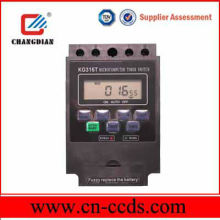
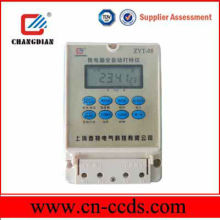
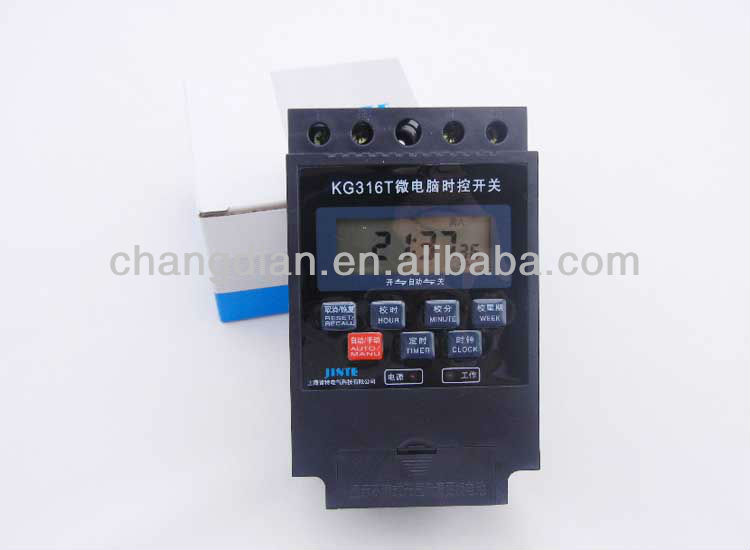
Weekly Programmable Digital Timer switch
Get Latest Price
You might also like
Basic Info
| Model No. | KG316T |
|---|---|
| Brand Name | CHANGDIAN |
Product description
KG316T? Weekly Programmable Digital Timer Nunction? & usage
1.The daily maximum is ten group of on/off and the weekly maximm is seventy groups of on/off.
The arbitrarily setting of daily on-off program or of the gropus of on-off program is available. The minimum on-off intervals in 1min.Hand operation is available.
2.The plug-in mode avoids wiring,featuring small volume, wide working temperature and strong
Anti-interference , etc
3.It? can? serve in neon lamp,road lamp and water & material feeding in aquiculture, tool, switchgear cubicle and distribution case for automatical control. At family, it can serve as turning on and off lamp, TV and air conditioner by timing. Then the family will emter intelligence era.
Rated voltage:220V/50HZ
Mains voltage range:160V-240V
Resistance load:16A
Power consumption<2VA
Timing range:1min-168h
Ten groups of timing is available in the form of hand and automation.
Timing error:<±0.5s/day
Relative humidity:<95% ? Time setting
Press the key of ‘CLOCK’ and then press the key of “WEEK” to determine the week.
Press the key of “HOURS’ to determine the hours and press the key of “MIN” to determine the minute. Releasing the key of “MIN” means that the timing will press repeatedly relevant Key. ? Timing program setting
Seven mode of automatica on/off timing. Select following program combination is of recommendation.
From Monday to Sunday
Every day of a week
From Monday to Friday
From Saturday to Sunday
From Monday to Saturday
Monday, Tuesday, Wednesday
Thursday, Friday, Saturday
After selection of the above-mentioned mode, then it is to set day, hours,minute to determine on/off time.
Press the key of “PROG” to set the time for first on and the left of the screen will display “ON1”, which means that the entry of first group of on program will be available.
Press the key of “WEEK” to select needful mode among the program package, and press the keys of “HOURS” and “MIN” to select the needful.
Repress the key of? “PROG” and the crystal screen will display “OFF1”,whick means that entry of first group of on program is available. Respectively press the key of “WEEK”, “HOURS” and “MIN” to set. Repress the key of “PROG” to enter another group of? program set. And repeating such procedure can set residual nine group of on/off modes,. To such idel mode, the user can cancel it with the key of “RST/RCL”, which will leace the “-:-” on the screen.
After setting of on/off program, press the key of “CLOCK”, and the crystal screen will return to present time. Then the timing function will start.
Repeatedly press the key of “PROG”? to watch the program that has been set in turn..
Hand function
Press the key of “ON/AUTO/OFF”? to select the three modes of PERMANENTION-AUTOMATION-PERMANENT OFF. In case of? the mode off AUTOMATION ,the timer can automatically operate in accordance with set program.
The set program just runs in case of the mode of ATUOMATION. In case of the mode of “PERMANENT OFF”, the timer will automatically turn off. In case of the mode off “PERMANENT ON” ,the timer will automatically run. ? Reset
Press the key of “RESET” with in case of the mode of AUTOMATION. The time and on-off program. ? ?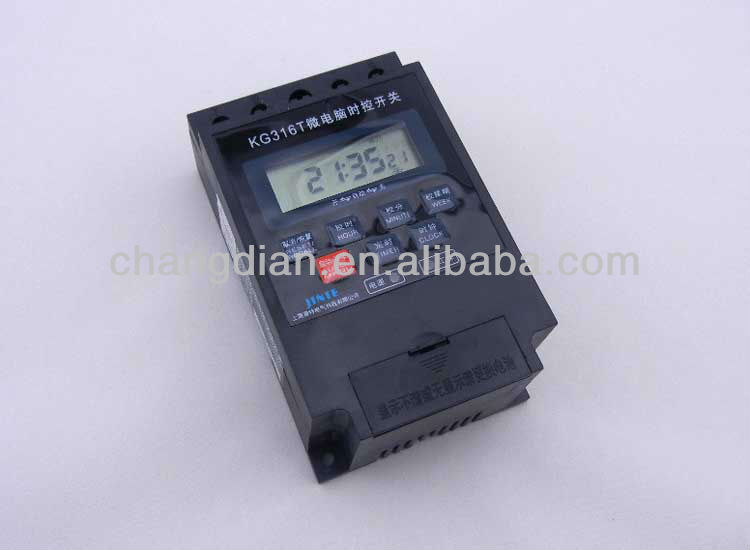



 ?
?
1.The daily maximum is ten group of on/off and the weekly maximm is seventy groups of on/off.
The arbitrarily setting of daily on-off program or of the gropus of on-off program is available. The minimum on-off intervals in 1min.Hand operation is available.
2.The plug-in mode avoids wiring,featuring small volume, wide working temperature and strong
Anti-interference , etc
3.It? can? serve in neon lamp,road lamp and water & material feeding in aquiculture, tool, switchgear cubicle and distribution case for automatical control. At family, it can serve as turning on and off lamp, TV and air conditioner by timing. Then the family will emter intelligence era.
Rated voltage:220V/50HZ
Mains voltage range:160V-240V
Resistance load:16A
Power consumption<2VA
Timing range:1min-168h
Ten groups of timing is available in the form of hand and automation.
Timing error:<±0.5s/day
Relative humidity:<95% ? Time setting
Press the key of ‘CLOCK’ and then press the key of “WEEK” to determine the week.
Press the key of “HOURS’ to determine the hours and press the key of “MIN” to determine the minute. Releasing the key of “MIN” means that the timing will press repeatedly relevant Key. ? Timing program setting
Seven mode of automatica on/off timing. Select following program combination is of recommendation.
From Monday to Sunday
Every day of a week
From Monday to Friday
From Saturday to Sunday
From Monday to Saturday
Monday, Tuesday, Wednesday
Thursday, Friday, Saturday
After selection of the above-mentioned mode, then it is to set day, hours,minute to determine on/off time.
Press the key of “PROG” to set the time for first on and the left of the screen will display “ON1”, which means that the entry of first group of on program will be available.
Press the key of “WEEK” to select needful mode among the program package, and press the keys of “HOURS” and “MIN” to select the needful.
Repress the key of? “PROG” and the crystal screen will display “OFF1”,whick means that entry of first group of on program is available. Respectively press the key of “WEEK”, “HOURS” and “MIN” to set. Repress the key of “PROG” to enter another group of? program set. And repeating such procedure can set residual nine group of on/off modes,. To such idel mode, the user can cancel it with the key of “RST/RCL”, which will leace the “-:-” on the screen.
After setting of on/off program, press the key of “CLOCK”, and the crystal screen will return to present time. Then the timing function will start.
Repeatedly press the key of “PROG”? to watch the program that has been set in turn..
Hand function
Press the key of “ON/AUTO/OFF”? to select the three modes of PERMANENTION-AUTOMATION-PERMANENT OFF. In case of? the mode off AUTOMATION ,the timer can automatically operate in accordance with set program.
The set program just runs in case of the mode of ATUOMATION. In case of the mode of “PERMANENT OFF”, the timer will automatically turn off. In case of the mode off “PERMANENT ON” ,the timer will automatically run. ? Reset
Press the key of “RESET” with in case of the mode of AUTOMATION. The time and on-off program. ? ?
? Weekly Programmable Digital Timer switch
Get Latest Price
Send your inquiry to this supplier
You may also be interested in
Product Categories
New products





Send Inquiry
Product Alert
Subscribe to your interested keywords. We will send freely the latest and hottest products to your Inbox. Don't miss any trade information.
Subscribe
Your use of this website constitutes acknowledgement and acceptance of our Terms & Conditions.
Copyright ? 2009-2026 Bossgoo Co., Ltd. All rights reserved.
版權(quán)所有 ? 寧波全貿(mào)信息技術(shù)有限公司 浙ICP備12012821號-1 浙B2-20200628
